If you already have a Telangana Ration Card / Food Security Card (FSC) and want to keep a digital copy on your phone or computer, there are now a few different ways to access the card information.
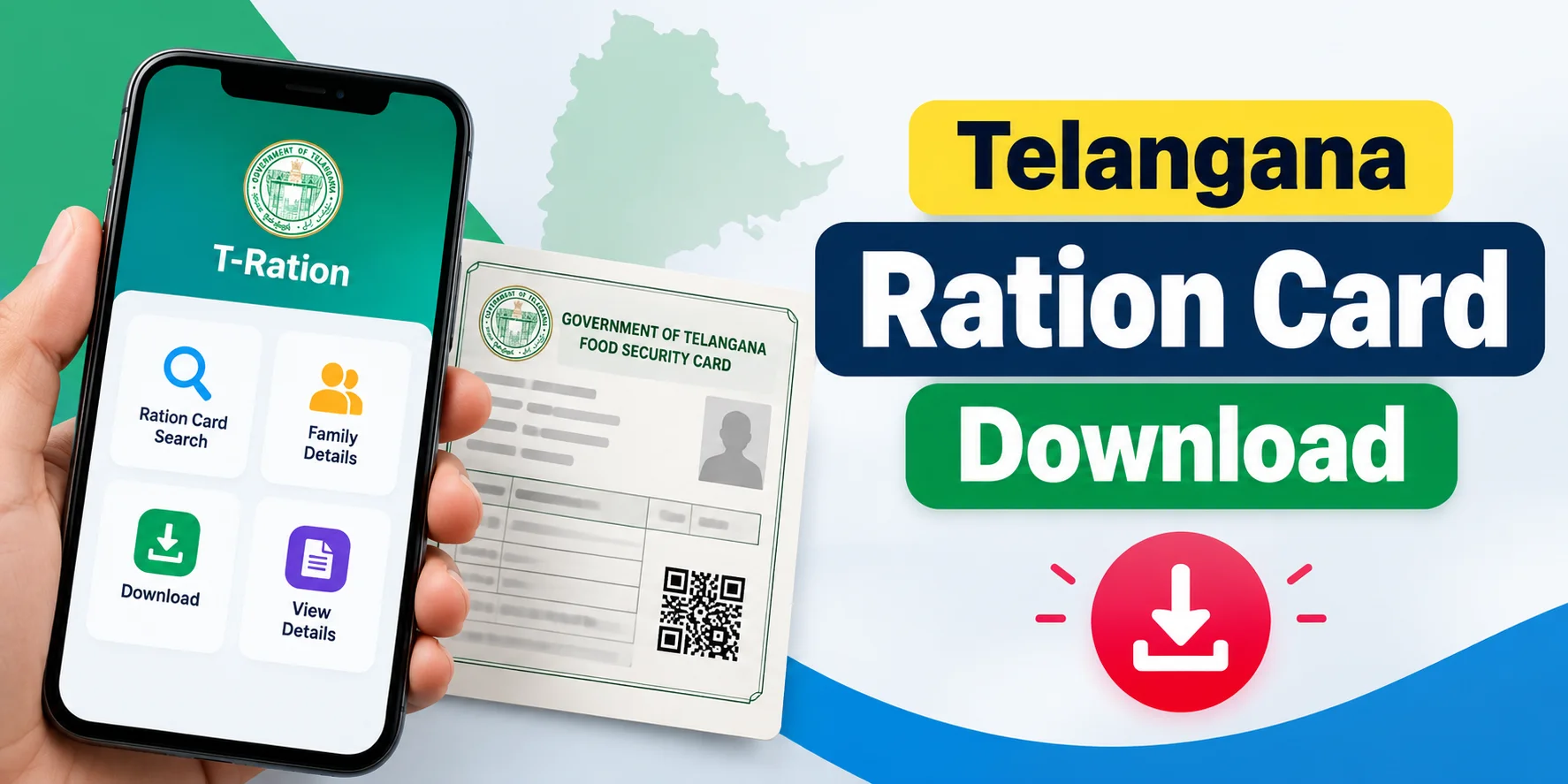
The most useful current option is the T-Ration app, the official Android application of the Commissioner of Civil Supplies (CCS) & NIC, Telangana. Its August 20, 2026 update added Smart Scan RC, which can scan the QR code on a physical ration card and let users view and download RC details. The app also provides a printable family-member registry in PDF format.
There is also an important distinction: Telangana MeeSeva has a “Print Ration Card” service, but the official service description says this is specifically used to print a corrected ration card after applying for data corrections through the relevant MeeSeva service.
So, this guide covers both digital downloading through T-Ration and the official MeeSeva print route.
Telangana Ration Card Download 2026 – Quick Details
| Details | Information |
|---|---|
| State | Telangana |
| Card | Food Security Card (FSC) / Ration Card |
| Main digital option | T-Ration app |
| Official app | T-Ration |
| Department | Consumer Affairs, Food & Civil Supplies |
| Current app update | August 20, 2026 |
| Download option | RC details / printable member registry |
| Print service | MeeSeva – Print Ration Card |
The Telangana Civil Supplies Department is responsible for issuing ration cards to eligible families and implementing the e-PDS system.
Method 1: Download Telangana Ration Card Using T-Ration App
For users who want a digital copy on their mobile, the T-Ration app is the most relevant current method.
The official Google Play listing says the app supports FSC search, active family members, allocation information, ration transactions, and other PDS services. Its August 2026 update added Smart Scan RC, allowing users to scan a QR code to instantly view and download RC details.

Step 1: Install the official T-Ration app
Open Google Play Store and search for:
T-Ration
Before installing, check that the listing identifies it as the official app of CCS & NIC, Telangana.
Important: Avoid installing unofficial “ration card download” apps simply because they appear in search results.
Step 2: Open T-Ration
After installation, open the application.
The current version has a redesigned interface and supports secure authentication using Aadhaar and OTP, as well as MPIN access after setup.
Step 3: Sign in or complete verification
Follow the authentication instructions shown in the app.
The current T-Ration listing says Aadhaar-based verification and OTP authentication are supported.
Keep your registered mobile number available if an OTP is requested.
Step 4: Open the Ration Card / FSC Search option
From the citizen-services section, select the option related to Ration Card / FSC Search.
The service allows users to view their Food Security Card information, including active family members, allocation status, and shop number.
Step 5: Use Smart Scan if your card has a QR code
If your physical Telangana ration card contains a QR code, the updated T-Ration app provides Smart Scan RC.
Select the Smart Scan option and allow the app to use your phone’s camera.
Scan the QR code on your ration card.
According to the current official app listing, Smart Scan can retrieve the RC profile and allow users to view and download RC details.
This is particularly useful if:
- You already have the physical ration card.
- The card has a readable QR code.
- You want a digital copy of the available RC details.
Step 6: Download the RC details
After the ration card information is retrieved, use the available download/save option.
The current T-Ration version specifically lists the ability to download RC details after using Smart Scan.
Save the file to your phone so that you can access it later.
Step 7: Save the PDF securely
After downloading the document, check your phone’s Downloads or Files folder.
You can then:
- Keep the PDF on your phone
- Send it to yourself by email
- Store it in cloud storage
- Print it when necessary
For privacy, avoid sharing your ration card document publicly because it may contain personal and family information.
Download Family Member Details as PDF
The current T-Ration app also provides a Printable Member Registry (PDF).
This can be useful when you need a printable record containing the family members associated with the ration card. The official app listing specifically describes this as a downloadable, printable PDF.
Steps
- Open T-Ration.
- Access your FSC/Ration Card details.
- Open the family/member information.
- Select the printable/member-registry option.
- Generate the PDF.
- Save it to your device.
Note: A member-registry PDF is a record of the family members; it should not automatically be treated as identical to a newly issued physical Smart Ration Card.
Method 2: Check Ration Card Details Through the Telangana FSC System
The Telangana Civil Supplies system has historically provided an FSC/Ration Card Search facility.
The search can be used to retrieve ration-card information using available identifiers such as:
- FSC Reference Number
- Ration Card Number
- Old Ration Card Number
- District
Older FSC search interfaces found online show these fields and the corresponding ration-card details.
However, do not assume that an old screenshot represents the current interface. Telangana’s digital PDS services have been updated, and the current Smart-PDS system is active in 2026.

4
If the search result is printable
If the current search page provides a browser Print option, you can use:
Mobile: Browser menu → Print → Save as PDF
Computer: Ctrl + P → Save as PDF
But the exact availability of this option can depend on the current portal interface.
Method 3: Print Telangana Ration Card Through MeeSeva
This is different from simply saving your existing FSC details as a PDF.
Telangana MeeSeva officially lists Print Ration Card as a Civil Supplies service. The service description says it is used to print a corrected ration card for cards where data corrections were applied through the Ration Card Data Corrections service. The listed service charge is ₹15, with a stated SLA of 15 working days.
MeeSeva Print Ration Card process
- Open the Telangana MeeSeva portal.
- Go to Civil Supplies services.
- Look for Print Ration Card.
- Check the service requirements.
- Submit the required request/details.
- Pay the applicable service charge.
- Wait for processing according to the service timeline.
- Obtain the printed ration card through the prescribed process.
The official MeeSeva service listing currently identifies Print Ration Card separately from Ration Card Data Corrections.
Can I Download a Telangana Ration Card Without the Physical Card?
If you have access to the digital record, the current T-Ration app can retrieve RC information and, with its Smart Scan RC feature, download RC details.
However, users should distinguish between:
Digital RC details/PDF
and
an officially printed/issued ration card.
A downloaded document should not automatically be assumed to replace every use of the physical card.
What Details Do I Need?
Depending on the method you use, you may need:
- Ration Card Number
- FSC Reference Number
- Old Ration Card Number
- Aadhaar-linked mobile number
- Aadhaar authentication/OTP
- Physical ration card QR code, if using Smart Scan
The current T-Ration app supports Aadhaar-based verification and Smart Scan RC, while the older FSC search system uses card/reference information.
What If the Ration Card Is Not Showing?
If your card details cannot be retrieved, try these checks:
1. Check the card number
Make sure there are no typing errors.
2. Try FSC Search
If you have an FSC Reference Number or another available card identifier, try searching the Civil Supplies/FSC system.
3. Try T-Ration
The current T-Ration app provides FSC search and related card services.
4. Check whether the application has been approved
A newly submitted application may not yet have a finalized ration card record.
5. Visit MeeSeva if a correction or print service is required
Telangana district administrations list Print Ration Card among Civil Supplies services available through MeeSeva.
Telangana Smart Ration Card 2026: Important Update
There is a major 2026 development readers should know about.
The Telangana government announced the statewide distribution of new Smart Ration Cards on August 15, 2026.
Therefore, if you are searching for a “TS Ration Card Download 2026,” you may actually be looking for one of two things:
- A digital copy/details of your existing ration card, or
- Information about the newly distributed Smart Ration Card.
These are not necessarily the same document.
The Telangana Smart-PDS portal is also currently active and publishing PDS information for 2026.
T-Ration vs MeeSeva: Which Method Is for What?
| Requirement | Suitable option |
|---|---|
| View FSC/Ration Card details | T-Ration |
| Search FSC | T-Ration / Civil Supplies system |
| Scan QR on physical RC | T-Ration Smart Scan RC |
| Download RC details | T-Ration |
| Download family member registry PDF | T-Ration |
| Correct ration-card data | MeeSeva |
| Official Print Ration Card service | MeeSeva |
| Check PDS information | Smart-PDS / T-Ration |
The distinction is important because “download,” “print,” and “data correction” are separate services in Telangana’s current system.
Frequently Asked Questions
How can I download my Telangana ration card online in 2026?
The current T-Ration app provides FSC/Ration Card search and, in its August 2026 version, Smart Scan RC, which can retrieve and download RC details from a QR-coded card.
Is T-Ration an official Telangana government app?
The Google Play listing identifies T-Ration as the official app of CCS & NIC, Telangana.
Can I download the ration card as a PDF?
T-Ration’s current listing confirms downloadable RC details and a printable member-registry PDF.
Can I print my Telangana ration card through MeeSeva?
Yes. Telangana MeeSeva lists Print Ration Card as a Civil Supplies service. Its current description specifically relates the service to printing a corrected ration card following data corrections.
What if I lost my physical ration card?
First, retrieve your card details through the available Civil Supplies/T-Ration services. If you need an official replacement/printed card, check the applicable MeeSeva service rather than relying only on a downloaded copy.
Conclusion
For TS Ration Card Download 2026, the process has changed from the older EPDS-only approach.
The current T-Ration app is the key mobile option: it supports FSC/Ration Card search, Aadhaar/OTP authentication, and—following its August 2026 update—Smart Scan RC for viewing and downloading RC details. It also provides a printable family-member registry PDF.
If you specifically need an official printed ration card, Telangana’s MeeSeva Print Ration Card service is the relevant route, particularly for cards that have undergone data correction.
Official resources:
Telangana Civil Supplies Department
T-Ration – Google Play
Telangana MeeSeva Services